A browser for Windows and Android

Quick even on an old laptop.

YukiWeb puts the tabs you're not using to sleep, keeps your Yuki apps one @ away, syncs your PC with your phone and has a VPN built in. Free.

Windows 10 and 11 · Android 8+

Light

Made for the laptop you already have.

Thirty open tabs shouldn't turn your computer into a heater. YukiWeb saves memory where it can and leaves alone whatever is playing.

Tabs nap

A tab you haven't looked at in a while goes to sleep and gives its memory back. Click it and it wakes up where you left off. Music and video keep playing.

Edge engine

On Windows, YukiWeb runs on the Microsoft Edge engine that's already part of the system. Sites work the way they do in Chrome.

≈ 28 MB

That's the whole installer. Updates download by themselves and install the next time you start it.

A deep blue fjord between grey cliffs under a clear sky

A new tab with a view.

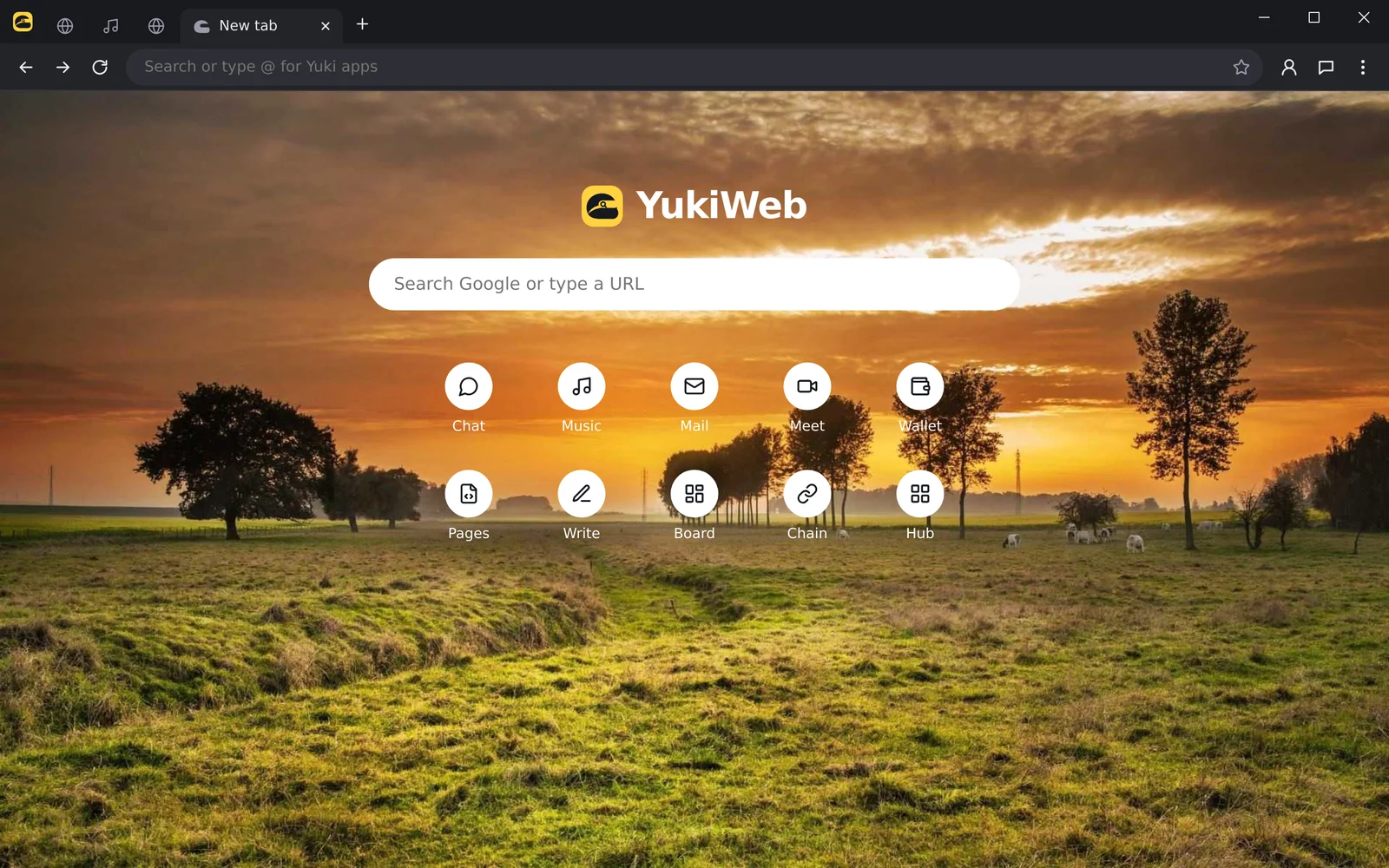
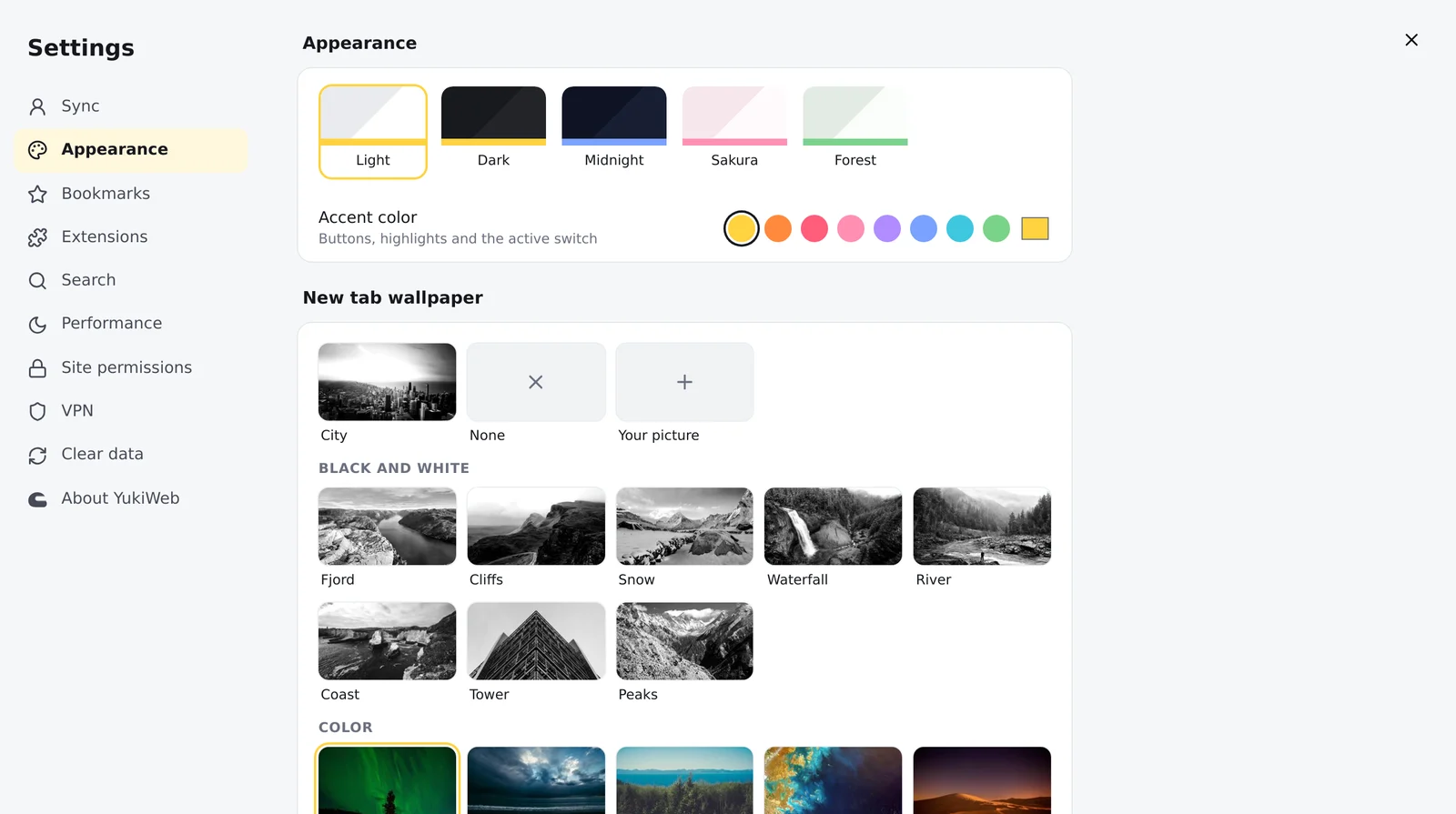
18 wallpapers, black and white or in color, or your own picture. Pick one in Settings → Appearance.

New tab

Your day, before the first click.

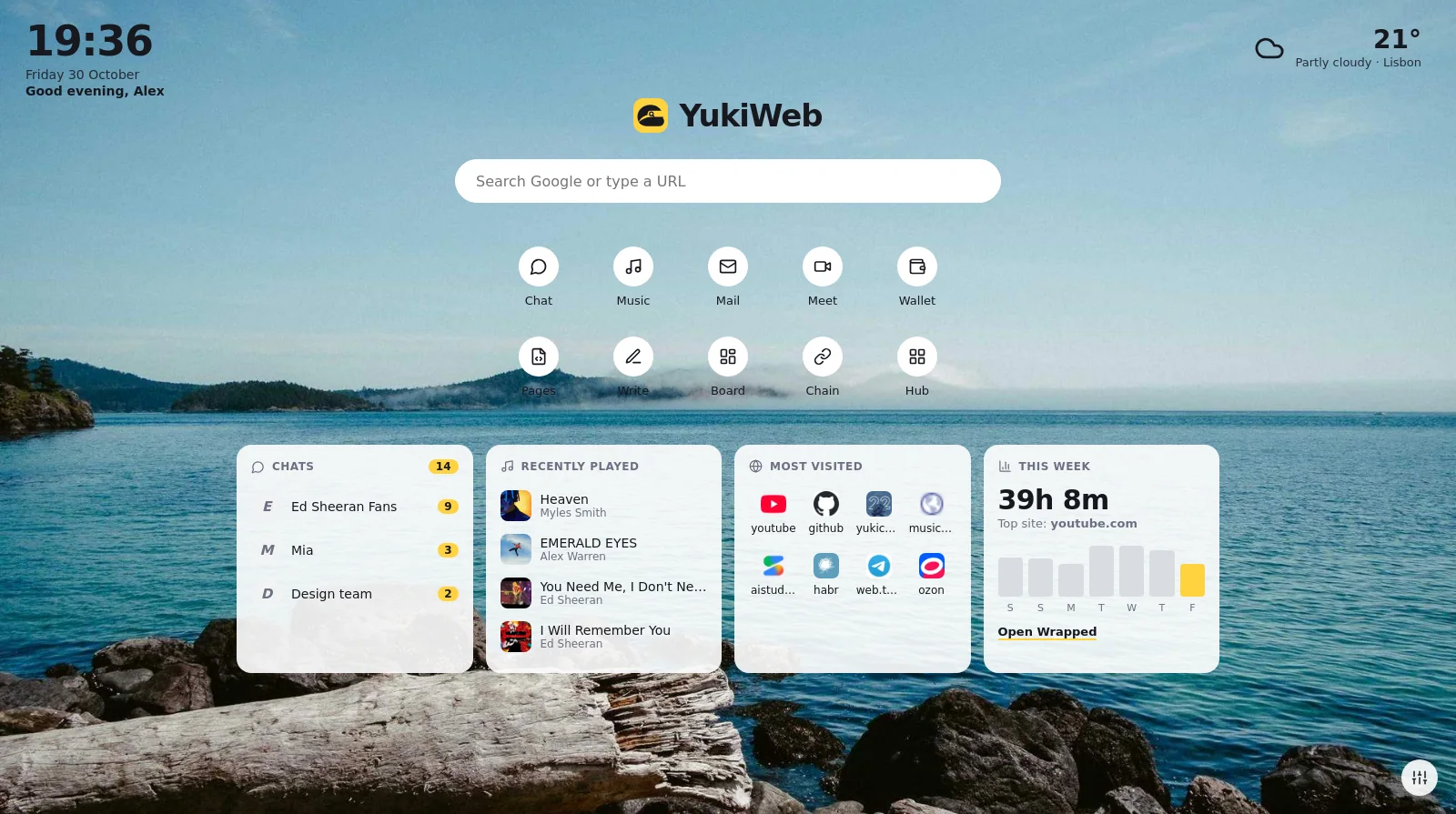
Sign in with Yuki ID and the new tab shows your chats, your music, the sites you love and how much time you spent online this week. You choose what stays.
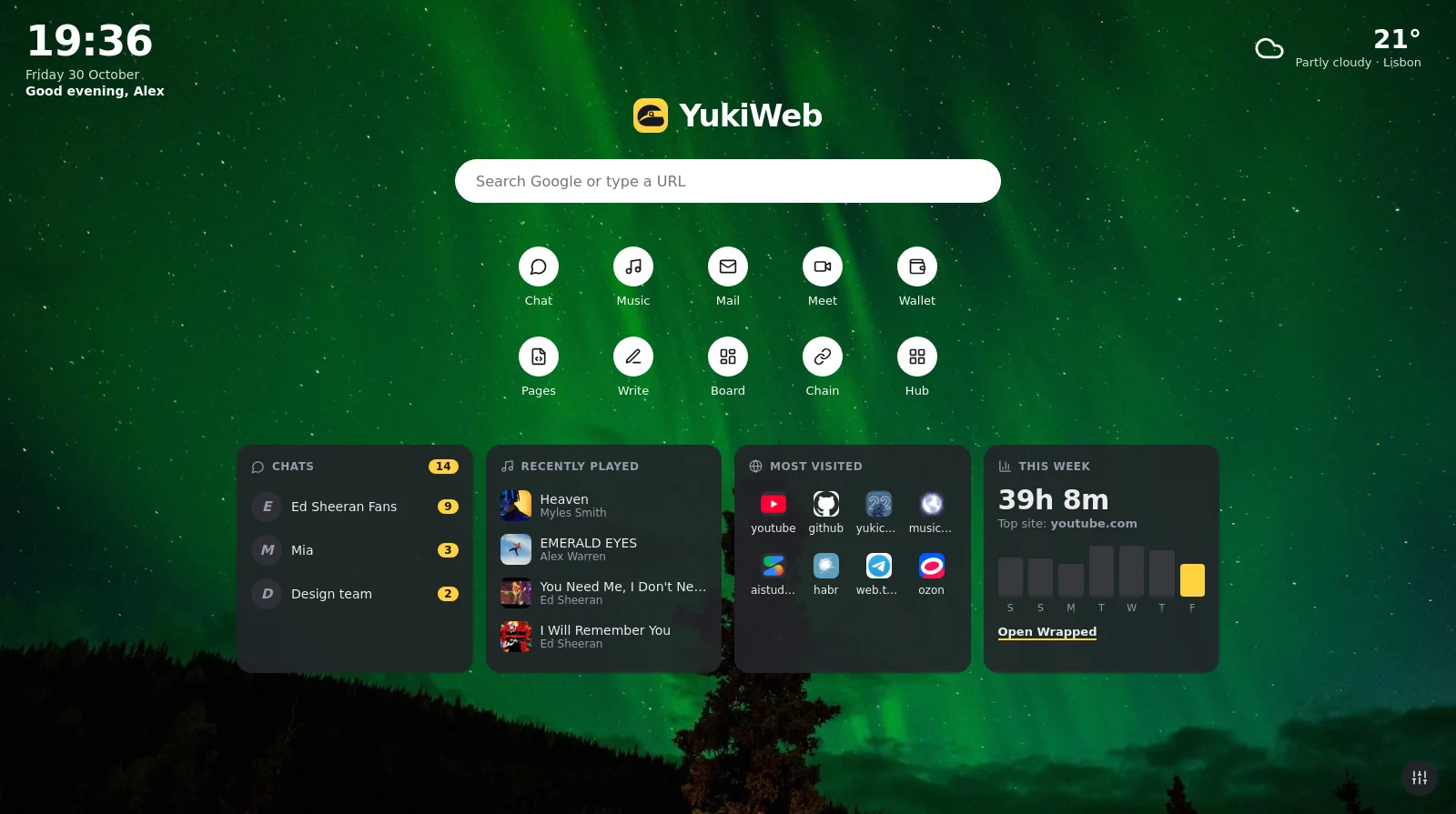

The YukiWeb new tab over a sea photo: clock, weather, Yuki apps, and cards with unread chats, recently played music, most visited sites and this week's browsing time
Unread chatsWho wrote, how many, one click into the chat.
What you playedYour recent YukiMusic tracks, ready to play again.
Most visitedThe sites you actually open, not the ones you once did.
Clock and weatherThe time, the date and your city's weather in the corners.
Soft white clouds over a pale blue sky, mirrored in still water

Read without the noise.

Page tools

Everything a page needs, one click away.

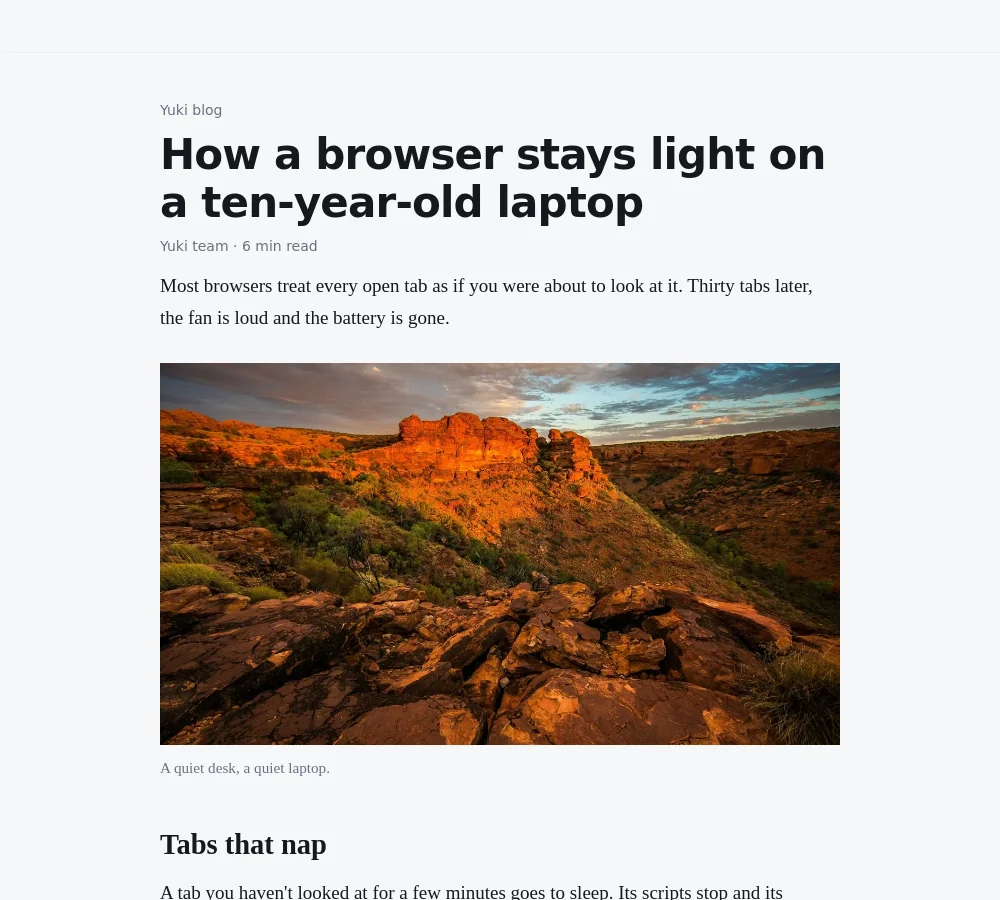
Reader mode: an article in one clean serif column with a photo, and size and font buttons at the top
Reader modeThe article in one clean column, serif or sans, bigger or smaller.
Translate any pageOne click, and the page speaks your language. Or always, for a language you pick.
Highlights that stayMark text in four colors, add a note. It's there next time you open the page.
Find on pageCtrl+F, with a count and arrows, without touching the page.
ScreenshotsThe visible part or the whole page, copied or saved.
A QR codePoint your phone at it and keep reading there.
Picture in pictureThe video floats on top while you do something else.
Select, then actCopy, search, translate on the spot or send the text to YukiChat.
Red sandstone cliffs glowing in low sun under a cloudy sky

Tabs, your way.

Tabs

Forty tabs, and still in order.

Right-click a tab to group it or put it next to another. The rest is on the keyboard.

Tab groupsName them, color them, fold them away.
Split viewTwo tabs side by side in one window.
Ctrl+K does it allEvery command in one box. Type, Enter, done.
Find a tabCtrl+Shift+A searches open and recently closed tabs.
Peek a linkShift+click opens it floating over the page. Esc and it's gone.
See before you clickHold Alt over a link for its title, picture and description.
Mute one tabThe speaker on the tab, one click.
Task managerShift+Esc shows what each tab uses, and puts heavy ones to sleep.
Green northern lights over a dark forest and a single pine

Your year, in tabs.

YukiWeb Wrapped

How much, where and when.

Time only counts while YukiWeb is on screen and you're at the computer. Your PC and phone add up together.
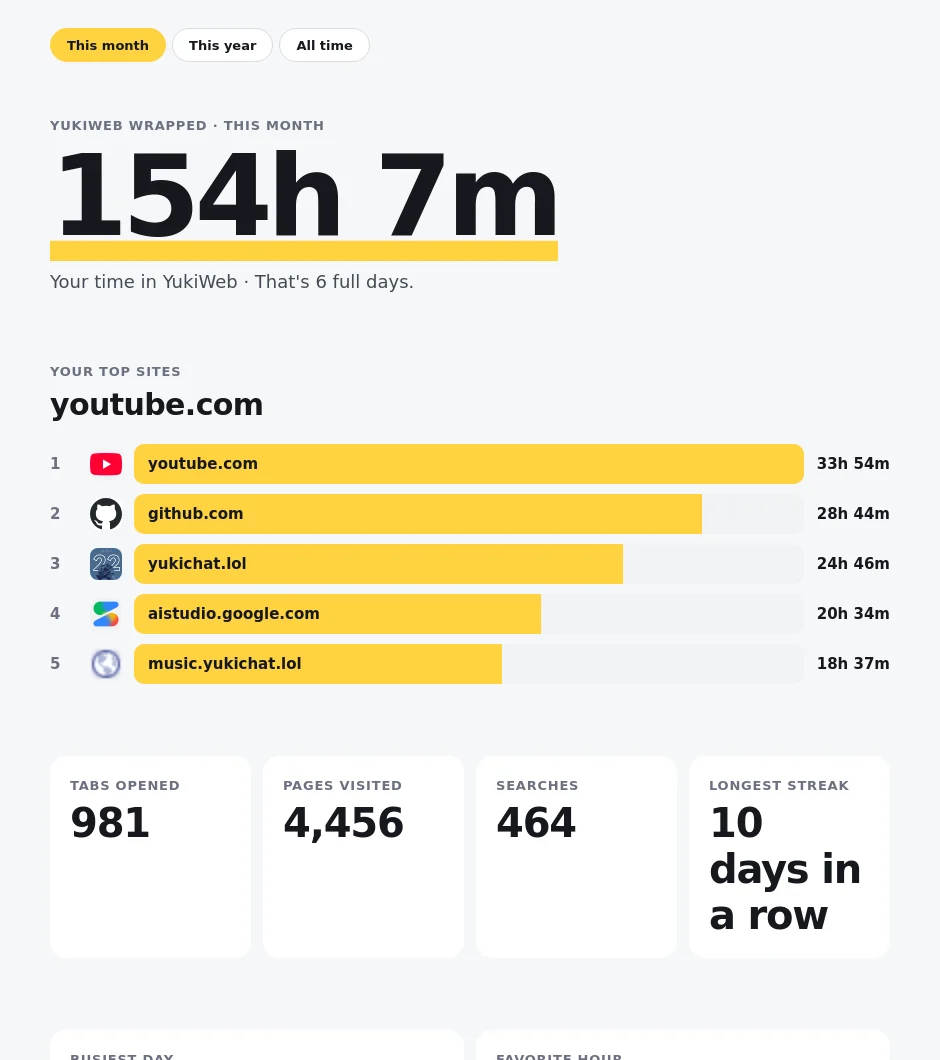
Hours and top sitesBy month, by year or all time.
Your favorite hourAnd the busiest day, and your longest streak.
What kind of browser you areNight owl, early bird or something in between.
A card to shareCopy it as a picture, straight into a chat.
YukiWeb Wrapped for this month: 154 hours, top sites youtube.com, github.com and yukichat.lol with bars, tabs opened, pages visited, searches and streak

Features

The small things you'd miss.

An address bar that remembers

Been to dash.cloudflare.com? Type "dash" and the rest fills itself in, like in Chrome. Try it:

    Tab accepts the suggestion, Backspace drops it.

    Tabs that shrink, then nap

    Forty tabs? They get narrower, and the forgotten ones fall asleep.

    openasleep

    A VPN inside, with exceptions

    One button turns it on. Sites on your exceptions list, and if you like every Russian site, open directly.

    Russian sites skip the VPN

    Yuki apps, one @ away

    Type @ in the address bar for the list. @mu and Enter is YukiMusic.

    Themes and an accent color

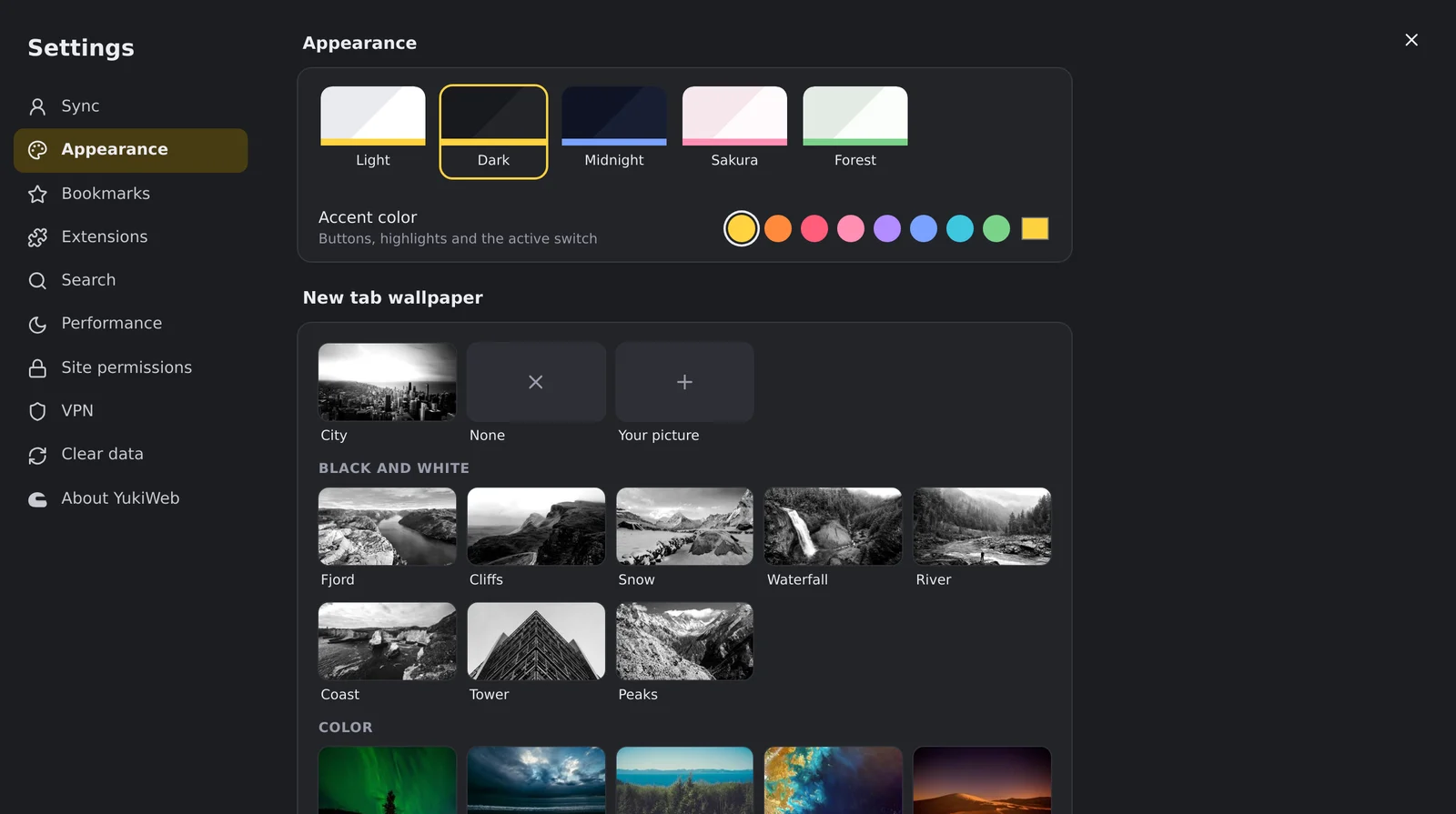
    Five themes, eight accents and 18 new-tab wallpapers. On the phone it can simply follow the system.

    One Yuki ID, everything with you

    History and suggestions, bookmarks, search engine and theme move between your PC and your phone.

    Windowsbookmark added
    Androidalready here
    Private tabsNo history, cookies gone when you close them. Ctrl+Shift+N.
    Its own password managerSaves and fills your logins, and brings passwords over from Edge and Chrome.
    Chrome extensionsInstall straight from the Chrome Web Store.
    Bookmarks from ChromeOne-click import, plus a bookmarks bar.
    Fullscreen videoThe browser gets out of the way entirely.
    Tabs come backEverything's there after a restart, and Ctrl+Shift+T reopens a closed one.
    @htmlPaste HTML and see it as a site, right away.
    Permissions in plain sightCamera, mic, location: clear prompts and a list in Settings.

    No mockups

    This is what it actually looks like.

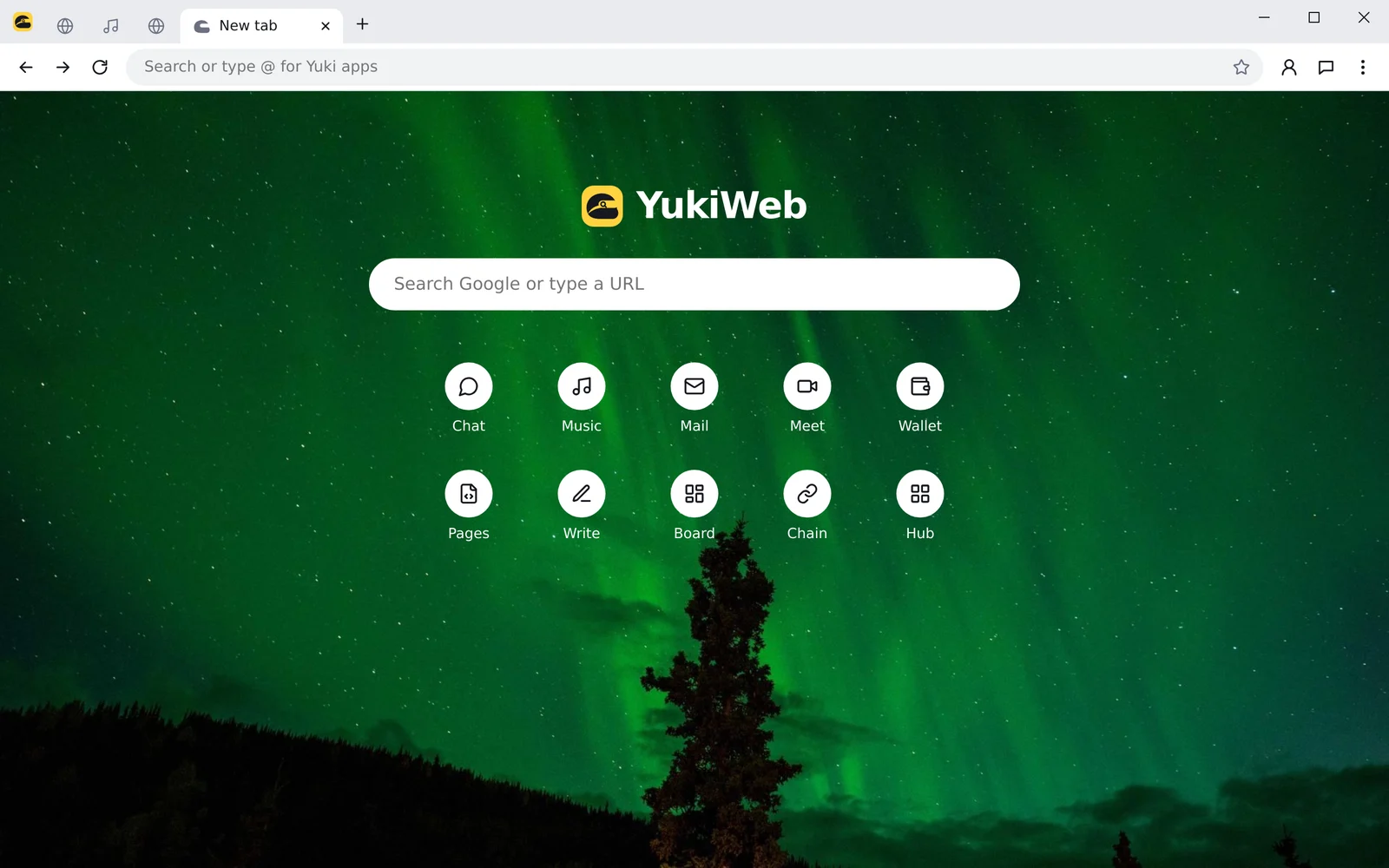
    YukiWeb on Windows with the light theme: tabs, the address bar and the new tab page over an aurora photo
    Settings, Appearance tab: themes, accent colors and wallpapers
    Settings in tabs. Sync, look, bookmarks, extensions, VPN, each on its own page.
    The new tab page: a search box and Yuki app buttons
    The new tab. Search, and every Yuki app one click away.

    Android

    The same browser, in your pocket.

    On Android, YukiWeb runs on the Firefox engine and is shaped for thumbs: a home page with a big search, a menu at the bottom, and gestures.

    • Swipe the address barLeft and right to the next tab.
    • Pull downThe page reloads, like in Chrome.
    • Matches your phoneLight or dark with the phone, or your theme from the PC.
    • Tabs from your PCSend a tab from the PC and it waits on the phone's home page. And back.
    • Pages of its ownHistory by day, bookmarks, downloads and settings.

    For the keyboard

    Hands stay on the keys.

    New tabCtrlT
    Reopen closed tabCtrl⇧T
    Private tabCtrl⇧N
    BookmarkCtrlD
    Bookmarks barCtrl⇧B
    DownloadsCtrlJ
    Every commandCtrlK
    Find on pageCtrlF
    Search tabsCtrl⇧A
    Task manager⇧Esc
    Peek a link⇧click
    Link previewAlthover
    An empty road through sand dunes under a pale sky

    Light. Quick. Yours.

    Give it a try. It takes a minute.